
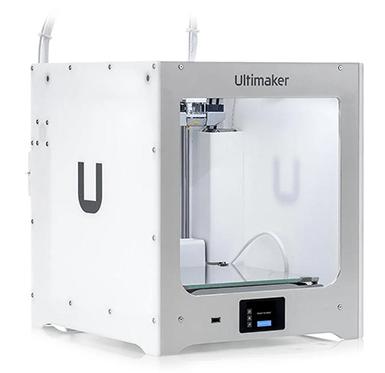
A 3D printer is a machine that creates physical objects from a digital design. It works by building the object layer by layer instead of cutting material away. First, a 3D model is prepared on a computer and using slicing software, the design is then converted into a g-code file. The file is then loaded into a 3D printer and printed using materials like PLA, ABS, or PETG to form each layer. As the layers stack up, a complete 3D object is created.
3D Printer models:
- Ultimaker 2+Connect
- Build volume: 223 x 220 x 205 mm
- Storage method: USB
- Nozzle size: 0.4mm
- Number of nozzles: 1
- Filament diameter: 2.85mm
- UM2+C specifications
- Ultimaker3
- Build volume: 215 x 215 x 200mm
- Storage method: USB
- Nozzle size: 0.4mm
- Number of nozzles: 2
- Filament diameter: 2.85mm
Material allowed: PLA (Poly Lactic Acid) is a biodegradable thermoplastic made from products like corn starch and sugar cane.
Cost of material: $2.00 per metre.
Slicing software used to prepare 3D models for Ultimaker printers:
Ultimaker Cura https://ultimaker.com/software/ultimaker-cura
Please complete our Virtual 3D Printer Certification process to use our 3D printers for your DIY projects.
Steps to 3D Certification:
- Review the Virtual 3D Printer Certification slideshow
- Complete the 3D Certification Quiz
- Submit the NPL Maker Hub Agreement form
Book a time to visit the Maker Hub to demonstrate your understanding of 3D printers and make your first test print.
Once you’ve completed these steps, your library card will be updated with your 3D printer certification, and you’ll be ready to start printing.
How to visit the library to complete 3D printer certification:
- Please use our reservation system to book a time for your demonstration.
- Load a new colour into the printer (demonstrates you can use the menu and understand how to change filament spools)
- Use the menu to print a file in the folder called 3D Printer Certification.
- Observe the printer printing.
- Remove your print using a spatula after it has cooled
- Turn off the printer
- Remove the brim using the available tools.
- Staff will update your account so you are fully certified and can use the printer on your own.
Recommended 3D software and websites
Slicing software is used to prepare 3D models for the printer.
Ultimaker Cura is a popular application. Metric (mm) only.
CAD software is used to design 3D models that can be 3D printed.
Explore 3D models shared online by creators, available for free or purchase. Be sure to review the licensing details for each design before using it.
Thingiverse
Find all 3D models to download - Creality Cloud
Toy Rescue has 3D models of replacement parts for toys and games.
Smithsonian 3D has digitized parts of its collection available to download and 3D print.
Scan the World is a community-built collection of 3D printable sculpture and cultural artefacts.
Specialty 3D modelling sites
CookieCAD allows you to create your own custom cookie cutter.
Lithophane Maker turns any photograph or image into a lithophane.
Image to Lithophane another lithophane design site.